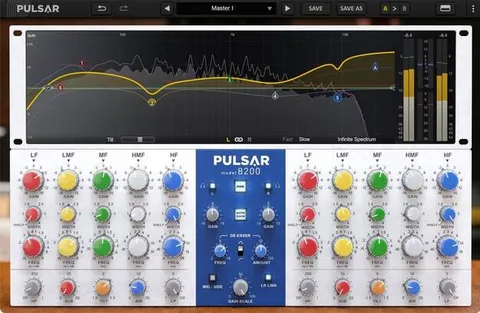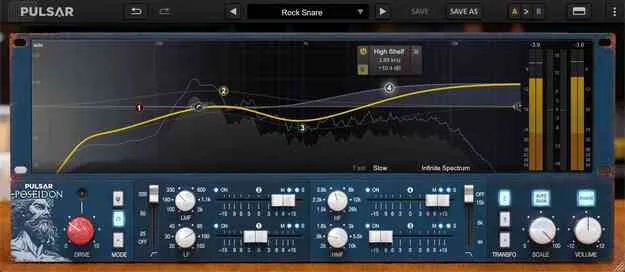
Poseidon by Pulsar Audio EQ plugin interface with curve editor

Poseidon: Modern EQ Plugin Modeled After a Classic Console

Rated 4.8/5 on Plugin Boutique (57 ratings)

Poseidon is an EQ plugin from Pulsar Audio that emulates a rare, inductor-based console EQ with a modern on-screen curve editor, Mid/Side bands, saturation and output transformer options.

VST3VST2AUAAXWindowsmacOS64-bit
AVAILABLE ATPlugin Boutique
Opens the store in a new tab
01Overview

Poseidon models the EQ section of a rare console whose band interactions shape its curves in ways a standard parametric EQ cannot easily match. Pulsar Audio rebuilt that behavior for modern sessions, adding a visual curve editor and a real-time spectrum analyzer. Frequency knobs are continuous rather than fixed to discrete hardware values, and the plugin includes Mid/Side processing, Gain Scale, Auto-Gain and selectable saturation circuits. It is aimed at producers who want the character of a vintage EQ with clearer visual feedback.

Best for

  • Vocal EQ shaping
  • Drum bus coloring
  • Mix bus equalization
  • Low-end enhancement
  • Stereo image control
Developer
Pulsar Audio
Category
EQ
Store
Plugin Boutique
02Key features

What you get

  • Modeled on a rare inductor-based console EQ with band interactions
  • Visual curve editor with real-time spectrum analyzer
  • Continuous frequency knobs with extended ranges
  • Mid, Side and stereo processing modes per band
  • Two selectable saturation circuits with Drive control
  • Two output transformer emulation options
  • Auto-Gain compensation based on EQ curve analysis
  • Gain Scale control for scaling all band gains
  • Selectable oversampling up to 384 kHz
  • Resizable interface with 100% and 150% snap
03In depth

Sound and Character of the Poseidon EQ

Pulsar Audio says its modeling technology reproduces the behavior of the original device, including saturation from its circuit components and slight internal filtering. Because the plugin does not simulate the entire circuit, the developer notes it uses less CPU than a full circuit simulation.

The interaction between bands is the central feature. Raising the gain of one band can change the shape of others, producing asymmetrical bells and curves that would otherwise require several bands on a parametric EQ. Two saturation modes are available, with a Drive knob to set the amount. The first follows the analog circuitry of the original console, and the second is a Pulsar creation with a more modern, aggressive character. Two output transformer options add low-end harmonics.
Workflow, Controls and Metering

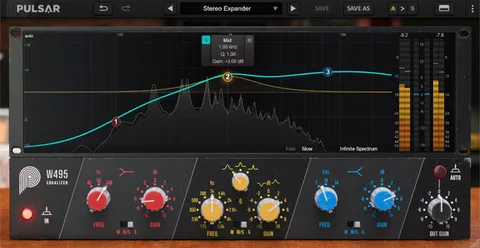
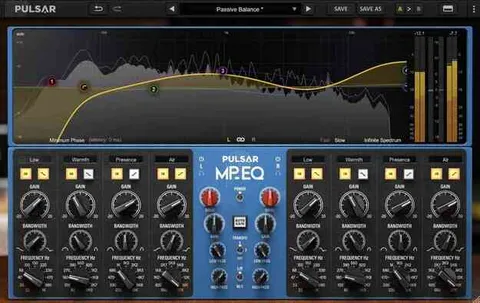
The curve editor shows the overall frequency response and lets you edit each filter's properties without using the lower panel. Mid/Side processing can be set per band, so a band can act on the mono center, the side signal or the full stereo image. The curve display shows Mid and Side curves separately when bands use different modes.

Auto-Gain compensates for level changes caused by equalization, based on an analysis of the EQ curve, and the compensation does not change during playback. Gain Scale works as a multiplier for all band gains, which is useful for adjusting an EQ curve's intensity after it is set. The spectrum analyzer offers Fast, Slow and Infinite modes, and peak, RMS and overall gain meters are included. The interface is resizable and can snap to 100% or 150%.

04Specs

Will it run?

Formats, systems and requirements as listed by Plugin Boutique. Missing details are left out, not guessed.

DeveloperPulsar Audio
TypePlugin
CategoryEQ
FormatsVST3, VST2, AU, AAX
Operating systemsWindows, macOS
Architecture64-bit
05FAQ

Questions, answered

What formats does Poseidon support?

Poseidon is available in VST3, VST2, AU and AAX formats.

Which operating systems does Poseidon run on?

Poseidon runs on Windows and macOS. Both versions are 64-bit only, and the Mac version supports Apple Silicon (M1).

What do I need to use Poseidon?

You need an account at ilok.com to activate Pulsar software. The system requirements call for 4 GB RAM, 1 GB of free disk space and an OpenGL 2.0 compatible GPU.

Does Poseidon have Mid/Side processing?

Yes. Each band can process the full stereo signal, the Mid only or the Side only, and the curve display shows Mid and Side curves separately when bands use different modes.

07Developer

More from Pulsar Audio

All Pulsar Audio products →