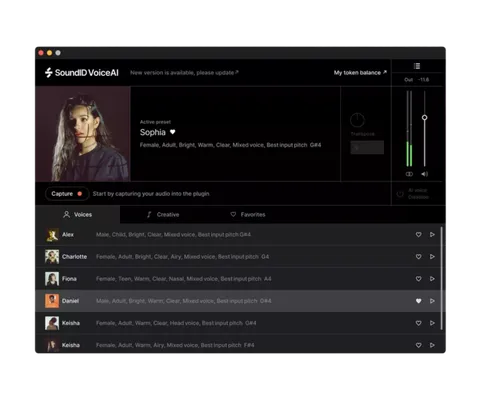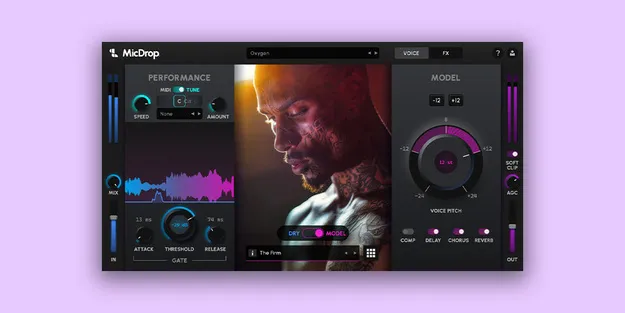
MicDrop Suite by Soundlabs.ai vocal transformation plugin interface

MicDrop Suite: Real-Time Voice-to-Instrument Plugin by Soundlabs.ai

Rated 4.2/5 on Plugin Boutique (5 ratings)

MicDrop Suite is a real-time vocal transformation plugin from Soundlabs.ai that converts a voice into other voices and instrument sounds. It runs as a plugin inside a DAW on Windows and macOS, with built-in pitch correction, MIDI-controlled harmonies and studio effects.

WindowsmacOS64-bit
AVAILABLE ATPlugin Boutique
Opens the store in a new tab
01Overview

MicDrop Suite is built for producers who want to shape vocals inside their DAW rather than record every layer by hand. The plugin processes a live or recorded voice in real time and can morph it into other vocal models or instrument-style sounds. Soundlabs.ai describes the suite as a voice-to-voice and voice-to-instrument tool with auto pitch correction, MIDI-driven harmonies and a set of built-in compression, chorus, reverb and delay effects. It is a 64-bit plugin available for Windows and macOS.

Best for

  • Vocal harmony stacks
  • Auto pitch vocal effects
  • Voice-to-instrument sound design
  • Talkbox and synth-style leads
  • Pop and electronic vocals
  • Rap and R&B vocal layers
Developer
Soundlabs.ai
Store
Plugin Boutique
02Key features

What you get

  • Real-time voice-to-voice and voice-to-instrument transformation
  • Auto pitch correction with selectable scale, key and speed
  • MIDI-controlled vocal harmonies and layers
  • Built-in compression, chorus, reverb and delay
  • CPU-friendly noise gate for clean processed vocals
  • Suite includes 24 additional vocal and instrument models
  • Six bundled expansion packs covering several genres
  • Runs as a 64-bit plugin on Windows and macOS
03In depth

Voice-to-Voice and Voice-to-Instrument Processing

MicDrop Suite converts a voice into other vocal models and into instrument sounds. Soundlabs.ai lists trumpet, slap bass and talkbox among the instrument options, along with a 303-style sound.

The suite combines this with auto pitch tools. You choose a scale, key and speed, and the plugin adjusts pitch from subtle tuning to more pronounced effects.

Harmonies are built with MIDI control, and the plugin can switch between real-time vocoder and playback modes. A CPU-friendly noise gate is included to keep processed vocals clean.
Included Models, Expansion Packs and Workflow

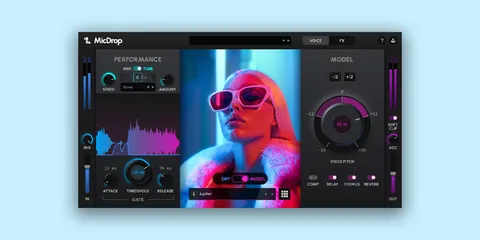
The Suite includes everything in the MicDrop Classic package, plus 24 additional vocal and instrument models. The bundled expansion packs are Chants & Chips Vol. 1, Folk & Indie Essentials Vol. 1, Island Essentials Vol. 1, Hybrid Harmonics Vol. 1, Pop & Electronic Vol. 1, and Rap and R&B Essentials Vol. 1.

Soundlabs.ai says new voices and instruments are added every month. Presets for the built-in effects can be saved to speed up sessions.

Most computers can run one or two instances at a time because of the processing load, so plan your session around that limit. The developer recommends bouncing processed takes in place and saving the session as you build vocal stacks.

04Specs

Will it run?

Formats, systems and requirements as listed by Plugin Boutique. Missing details are left out, not guessed.

DeveloperSoundlabs.ai
TypePlugin
CategoryVocal Processing
Operating systemsWindows, macOS
Architecture64-bit
05FAQ

Questions, answered

What operating systems does MicDrop Suite support?

MicDrop Suite is available for Windows and macOS as a 64-bit plugin. On macOS it requires macOS 14 (Sonoma) or later on Apple Silicon, and Intel Macs are unsupported. Windows requires Windows 10 (64-bit).

What do I need to use MicDrop Suite?

MicDrop Suite runs inside a DAW as a plugin. The developer lists 8 GB RAM (16 GB recommended), 2 GB of free storage and a dedicated DirectX 12 compatible graphics card on Windows. Windows ARM computers are not yet supported.

How many instances of MicDrop Suite can I run at once?

The developer says most computers can only run one or two instances at a time because of the intensive processing demands. Closing other programs while using it is recommended.

Which DAWs does MicDrop Suite work with?

Soundlabs.ai states that the plugin works in Ableton, Logic Pro, FL Studio and Cubase, among others.

07Developer

More from Soundlabs.ai

All Soundlabs.ai products →