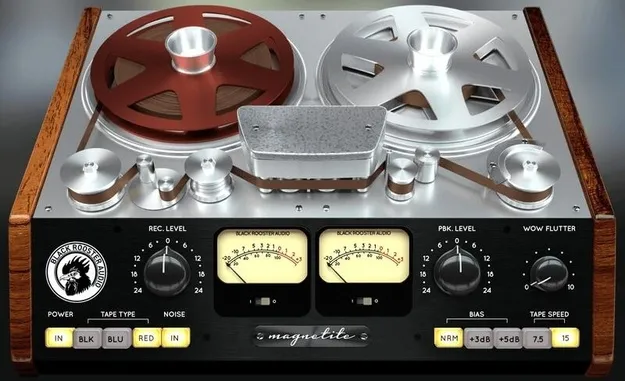
Magnetite tape emulation plugin interface by Black Rooster Audio

Magnetite: Tape Emulation Plugin by Black Rooster Audio

Rated 4.5/5 on Plugin Boutique (35 ratings)

Magnetite is a tape emulation effects plugin from Black Rooster Audio. It adds analog tape warmth and saturation to a mix, controlled mainly by a recording gain knob. It is available in VST3, VST2, AU and AAX formats.

VST3VST2AUAAXWindowsmacOS64-bit
AVAILABLE ATPlugin Boutique
Opens the store in a new tab
01Overview

Magnetite is an effects plugin from Black Rooster Audio that recreates the sound of magnetic tape recorders. The developer describes it as a homage to tape machines. Its main control is a recording gain knob, which sets how much saturation and warmth the signal receives. The plugin is aimed at producers who want to add analog character to drums, loops and vocals inside a digital session.

Best for

  • Drum bus warmth
  • Saturated vocals
  • Distorted loops
  • Analog tape character
  • Creative tape effects
Store
Plugin Boutique
02Key features

What you get

  • Tape saturation and warmth controlled by a recording gain knob
  • Emulated Class A recording and playback amplifiers
  • NAB pre- and de-emphasis EQ modeling
  • Tape speed and bias level emulation
  • Hiss and hum emulation
  • Adjustable wow and flutter for motor speed fluctuation
  • SSE2-optimized DSP processing
  • Auto-adjusted oversampling tied to session sample rate
  • High-DPI and Retina display support
03In depth

Analog Tape Sound and Character

Black Rooster Audio says it modeled the main sonic traits of analog tape. These include Class A recording and playback amplifiers, tape response and saturation, and NAB pre- and de-emphasis EQs.

The plugin also models the effect of different tape speeds and bias levels, along with hiss and hum. An adjustable wow and flutter control emulates the frequency modulation caused by motor speed fluctuations. Used at low settings, it can add subtle movement, while higher settings push the tape character further.
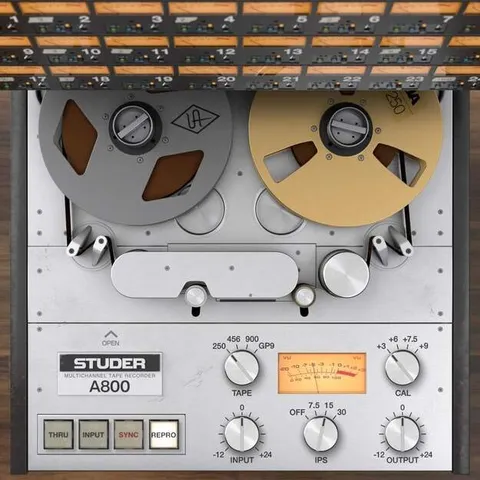
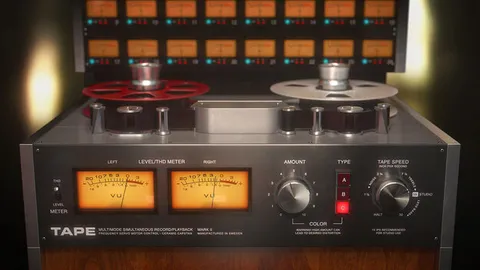
Using Magnetite in Your Signal Chain

The developer recommends placing Magnetite as the first insert in a chain, as if the signal had been recorded to tape. From there, the recording gain knob sets the amount of saturation and warmth.

Magnetite can also be placed elsewhere in the chain for more creative results. Black Rooster Audio notes that the plugin uses auto-adjusted oversampling, which is tuned to the session sample rate to limit aliasing while keeping CPU use in check.

04Specs

Will it run?

Formats, systems and requirements as listed by Plugin Boutique. Missing details are left out, not guessed.

DeveloperBlack Rooster Audio
TypePlugin
CategoryTape Emulation
FormatsVST3, VST2, AU, AAX
Operating systemsWindows, macOS
Architecture64-bit
05FAQ

Questions, answered

What formats is Magnetite available in?

Magnetite is available in VST3, VST2, AU and AAX formats. It is a 64-bit plugin.

What do I need to run Magnetite?

On Mac, it requires OS X 10.9 or newer, an Intel Core CPU or Apple Silicon M1/M2 processor, and 1GB of RAM. On Windows, it requires Windows 7 or newer, an SSE2-compatible processor, and 1GB of RAM. A VST, VST3, AU or AAX compatible host and a display resolution of 1280x1024 or higher are needed on both platforms.

Where should I place Magnetite in my chain?

Black Rooster Audio recommends using Magnetite as the first insert, as if the signal were recorded to tape. It can be placed elsewhere for creative effects.

07Developer

More from Black Rooster Audio

All Black Rooster Audio products →