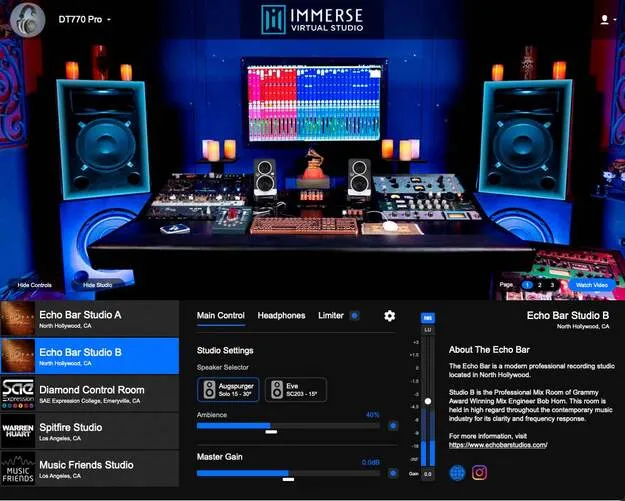
Immerse Virtual Studio | All Access by Embody studio tools plugin interface

Immerse Virtual Studio | All Access: Headphone Studio Monitoring Plugin by Embody Free Download

Rated 5.0/5 on Plugin Boutique (7 ratings)

Immerse Virtual Studio | All Access is a studio tools plugin from Embody for monitoring and referencing mixes on headphones. It simulates several well-known recording studio rooms.

VST3VST2AUAAXWindowsmacOS
AVAILABLE ATPlugin Boutique
Free trial available from the developer
01Overview

Immerse Virtual Studio | All Access is a referencing tool from Embody that recreates studio monitoring on headphones. It is listed in the Referencing Tools subcategory and is available as a plugin in VST3, VST2, AU and AAX formats. The developer says it models the listener's ears and combines them with room measurements to deliver a studio mixing environment you can audition from your workstation, without adding new monitors or acoustic treatment.

Best for

  • Headphone mixing checks
  • Spatial mix referencing
  • Mixing without studio monitors
  • Loudness checking with LUFS
  • Translation across studio rooms
Developer
Embody
Store
Plugin Boutique
02Key features

What you get

  • Access to multiple studio rooms for reference monitoring on headphones
  • Personalized HRTF profile built from a single image of your right ear
  • Adjustable headphone EQ amount
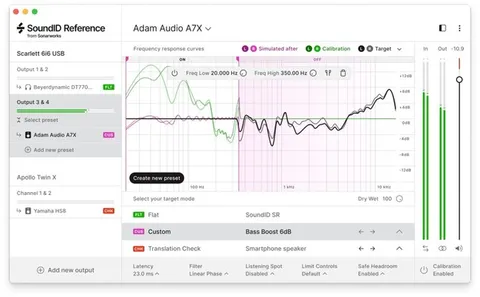
  • Compatible with Sonarworks SoundID Reference
  • Selectable RMS or LUFS meters
  • Visual indicator on the main UI when the limiter is engaged
  • Optimized for Apple M1 with lower CPU usage
  • Available in VST3, VST2, AU and AAX formats
03In depth

Multiple studio rooms for reference mixing

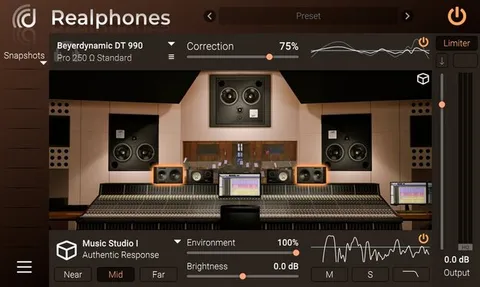
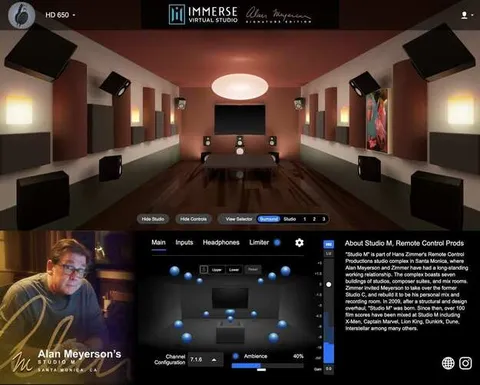
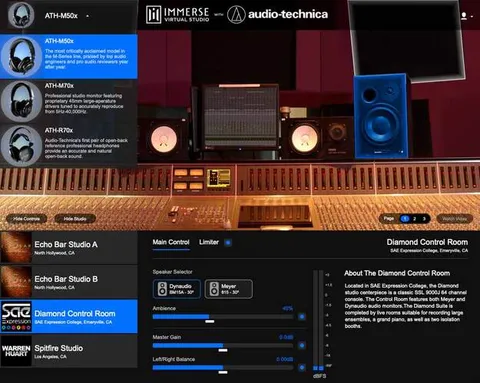
The plugin gives you access to several studio rooms rather than a single one, so you can check a mix in more than one acoustic space. Embody lists Echo Bar Studios in North Hollywood, the Diamond Control Room at SAE Expression College in Emeryville, Spitfire Studio in Los Angeles, and Music Friends Studio in the Eagle Rock neighborhood of Los Angeles.

Switching between rooms is useful for checking whether a mix translates across different listening environments before you export it.
Personalized headphone monitoring and metering

Embody says Immerse builds a personalized HRTF profile from a single image of your right ear. The developer positions this as the basis for accurate spatial reproduction of the studio sound environment.

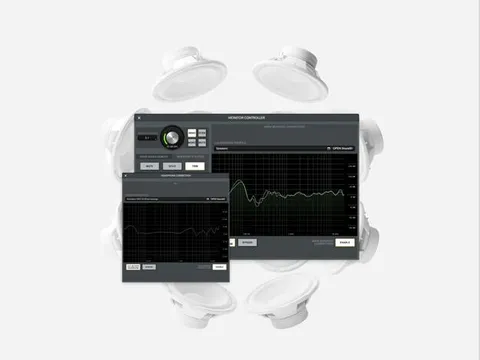
The headphone EQ amount is adjustable, and the plugin is documented as compatible with Sonarworks SoundID Reference. The main interface offers RMS or LUFS metering and shows an instant visual indication when the limiter is engaged.

04Specs

Will it run?

Formats, systems and requirements as listed by Plugin Boutique. Missing details are left out, not guessed.

DeveloperEmbody
TypePlugin
CategoryReferencing Tools
FormatsVST3, VST2, AU, AAX
Operating systemsWindows, macOS
Free trialYes
05FAQ

Questions, answered

What formats does Immerse Virtual Studio | All Access support?

It is listed in VST3, VST2, AU and AAX formats. The developer lists Windows and macOS as supported operating systems.

What do I need to run Immerse Virtual Studio | All Access?

The listed requirements are 4GB of memory, 150MB of disk space and a Windows 10 or macOS 10.9 or later system. Apple M1 is listed as an optimized chipset.

Does Immerse work with Sonarworks SoundID Reference?

Yes. Embody says the headphone EQ amount can be adjusted so the plugin works in tandem with Sonarworks SoundID Reference.

Is there a trial version?

Yes, a trial is available for the plugin.

07Developer

More from Embody

All Embody products →