Multi-Track Alignment and Timing Control
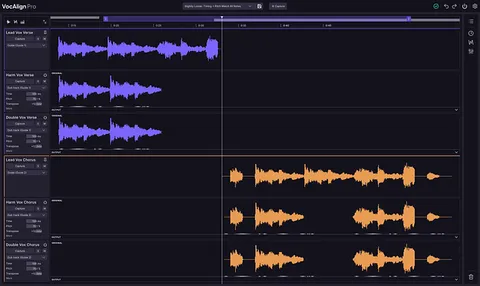
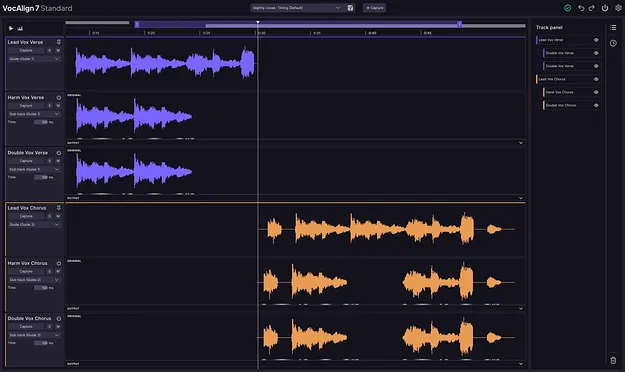
The multi-track view brings every vocal into one workspace. You choose any track as the guide, set the others to follow, and align the whole stack at once instead of working through separate plugin instances.
Timing corrections can be applied globally across all vocals, by track, or at clip level. Session-wide adjustments and targeted fixes can be made in the same project without starting over.
The tightness control sets how precise the alignment sounds, from polished and exact to looser and more natural. Alignment presets help you find suitable settings quickly and save your own.