How SpecCraft Suppresses Resonances
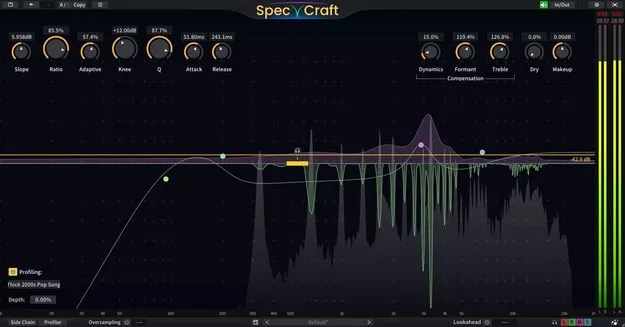
SpecCraft uses a smart amplitude-based threshold that continuously looks for the resonances that need suppression. You can let the threshold adjust automatically, set it manually, or blend the two.
The Spectrum Slope control tilts the display from 0 dB/OCT to 12 dB/OCT, so high and low resonances can be treated evenly against the threshold. A Priority Curve lets you set how much processing applies to each frequency band, and Profiling lets you use a custom frequency curve as the threshold, taken from preset profiles, an audio file, or a live capture.